
Online Physiotherapy Visit: Prepare Your Space and Know Its Limits
An online physiotherapy appointment lets you speak with a clinician, show how you move, and discuss a care plan from another location. The clinician needs…
An online physiotherapy appointment lets you speak with a clinician, show how you move, and discuss a care plan from another location. The clinician needs to see and hear you clearly, and you need room to move safely. The American Physical Therapy Association advises patients to discuss whether remote, in-person, or combined care suits their situation with their therapist. Its patient guide to telehealth is a useful starting point for that conversation.
Confirm who you are seeing and how you will connect
Before the visit, check the appointment information you were given. Confirm the clinician’s name and role, the time and time zone if relevant, and whether the appointment is by video or telephone. Use the joining instructions supplied by the service, and contact the service through a channel you already trust if a message or link looks unfamiliar. If you need an interpreter, accessibility support, or someone to help you use the device, raise that before the appointment so the clinician can plan with you.
For a video visit, test the camera, microphone, speakers, and internet connection on the device you intend to use. Charge it or keep its charger within reach. A larger screen may make instructions easier to follow, while a phone may be easier to reposition; choose the setup that lets you communicate and be seen without holding the device during movement. Cambridge University Hospitals’ hand-therapy video appointment guidance recommends testing equipment beforehand and placing the device on a stable surface. Its advice is written for hand therapy, so ask your own clinician what they need to see for your appointment.
Test the connection where you will take the call, and find out how to reconnect if it drops. Tell the clinician if the picture freezes: they need to know what they could actually observe.
Make a space where you can move safely
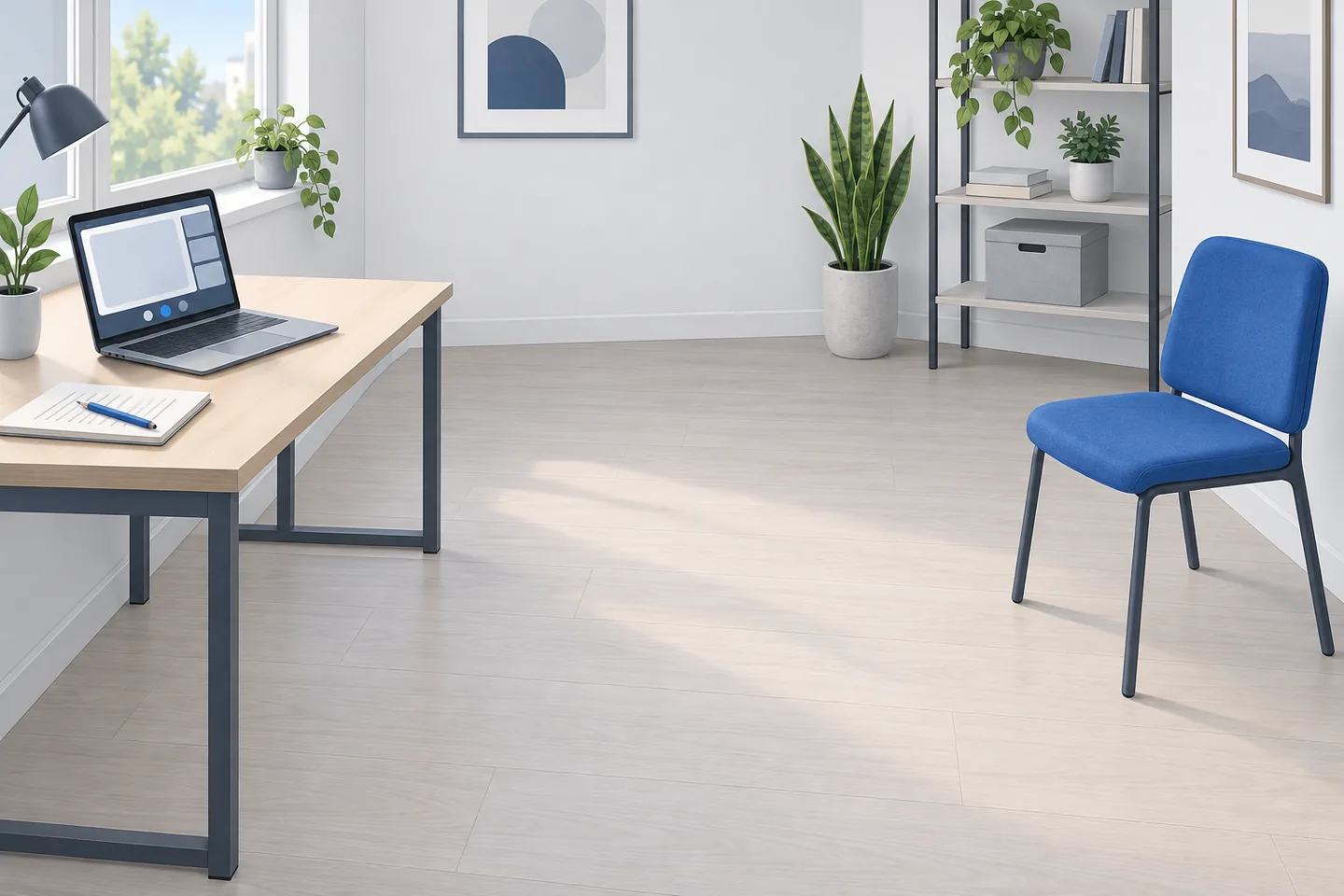
Choose a quiet, well-lit place where you can discuss your health without being overheard. Move loose rugs, cords, bags, and other obstacles out of the area you may use. Wear clothing that lets you move comfortably and allows the relevant body area to be seen if you are comfortable showing it. Keep a sturdy chair nearby if sitting, standing, or resting may be part of the discussion. You do not need to turn your home into a treatment room; you need a clear area suited to the movements your clinician has asked you to demonstrate.
Tell the clinician if your available space is narrow, shared, poorly lit, or otherwise difficult to use. Do the same if you are worried about balance or cannot safely move away from the screen. Do not attempt a movement simply to give a better camera view. NHS England’s guidance on choosing a consultation format treats the patient’s environment and the need for physical examination as part of deciding whether video is appropriate. A spacious clinic, a supported home visit, or another arrangement may sometimes serve an assessment better.
If a family member, friend, or carer will be present, tell the clinician at the start. That person may be able to help with the device or provide support you have agreed on. Their presence should be your choice where possible, and the clinician should know who can hear the conversation.
Set the camera for observation, then follow the clinician’s lead
Place the device on a stable surface before the call begins. Check that your face is visible while you talk and that the clinician can see the area or movement being discussed when you step back. Good light matters more than a decorative background: face a window or lamp if you can, and avoid sitting with a bright window directly behind you. You may need to change the camera angle during the visit, but do so while stationary.
Ask what the clinician needs in frame before you begin an exercise or movement. A close view of a hand may help with one question; a wider view may be needed to see how you stand or walk. Keep the device still during the movement so the clinician can follow it. If you cannot position the camera and move safely at the same time, say so. A clinician can adjust the task, ask for another view, or decide that the observation cannot be completed remotely.
Bring items the service asked you to have nearby, such as prescribed exercise equipment, a brace, splint, walking aid, or written exercise plan. Do not buy equipment for the call or begin using an aid on the assumption that it will be needed. Keep items already prescribed for your care within reach.
Give the clinician information the camera cannot supply
A video image shows only part of the picture. Be ready to explain what has changed, which activities are difficult, what you have already tried, and what you hope the appointment will help you do. If a movement causes pain, dizziness, or another concerning symptom, say so as it happens instead of pushing through for the sake of completing a demonstration. Ask for an instruction to be repeated if you did not hear it clearly.
Note questions beforehand: Which movements should I demonstrate? What should I avoid until we have assessed this further? How will I know whether the plan is helping? Mention any restrictions a previous clinician gave you after an injury or procedure.
Before the call ends, repeat back any exercise instructions that are unclear. Check how often to do them, what level of discomfort the clinician expects you to report, and what to do if symptoms change. Ask whether a written summary is available. A clear plan matters especially when you have watched a demonstration through a small screen or an imperfect connection.
Know what a remote visit cannot settle
A clinician can ask questions and observe selected movements over video, but a camera cannot perform a hands-on examination. It may also miss details because of lighting, image quality, camera angle, or limited room to move. These limits do not make the conversation pointless; they define which decisions can responsibly be made from it. The American Physical Therapy Association’s telerehabilitation guideline addresses preparation and implementation alongside potential benefits and harms, reflecting the need to judge remote care in context.
Ask directly: “Is there anything you need to examine in person before we decide on the next step?” The question is particularly useful if your symptoms are new or changing, you cannot demonstrate the relevant movement safely, or the clinician says the video view is insufficient. Ask how an in-person assessment would change the decision and who will arrange the next step. A remote visit can lead to an in-person visit; that is a reasonable outcome when the examination needs more than a conversation and a camera.
Also ask what should prompt you to seek help sooner. If you develop severe or rapidly worsening symptoms, feel acutely unwell, or cannot safely continue an activity, stop and seek appropriate medical advice rather than waiting for a routine physiotherapy follow-up. Your clinician can give advice tailored to your situation and local services. An online appointment should not be treated as a guarantee that every concern can be assessed or managed remotely.
A visit-readiness checklist
- Clinician and format: I have confirmed whom I am seeing, how to join, and whether I need interpretation or other support.
- Connection: I have tested my camera, sound, and internet where I will take the call, and I know how to reconnect or contact the service if it fails.
- Space: I have a private, well-lit place with enough clear floor area for the movements I can safely do.
- Camera: My device rests securely, and I can show the relevant movement without carrying it or risking a fall.
- Items and questions: I have prescribed aids or exercise instructions nearby, along with notes about changes, concerns, and goals.
- Examination limits: I am ready to ask what the clinician cannot assess over video and whether an in-person examination is needed.
- Next steps: Before leaving the call, I will confirm the plan, what changes to report, and how to seek help if my condition worsens.